The best shared grocery list apps.
Updated
Best pure list app: AnyList. Best free and simplest: OurGroceries. Best for recipes and store offers: Bring!. Best if the list also feeds a calendar: Cozi. Best if the shop should end up in your budget: We Both.
For a couple that only wants a list, AnyList or OurGroceries is probably enough.
We Both’s shared lists are free and unlimited, and “Done shopping” turns the trip into one expense in the same app that tracks your budget.

 Or scan with your iPhone camera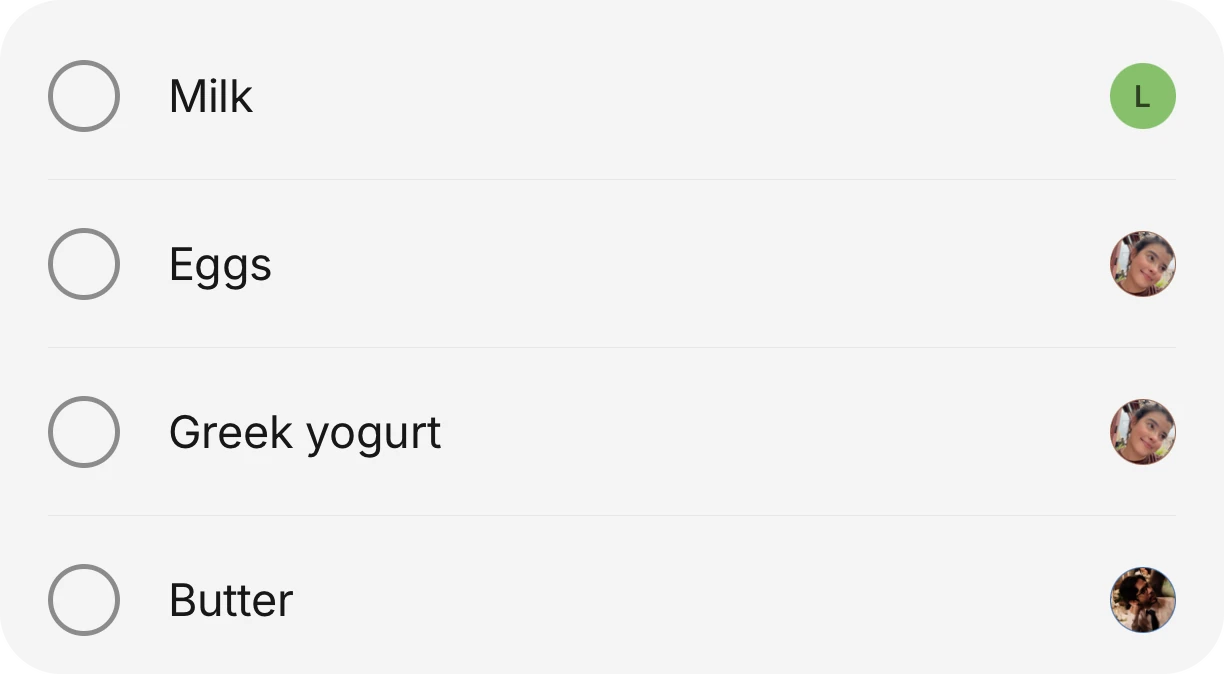
The short list
- Best overall list app: AnyList (sorts into store categories, recipes, widgets).
- Best free and simple: OurGroceries (free, with a small ad bar).
- Best for recipes and deals: Bring!.
- Best with a family calendar: Cozi.
- Best when groceries are part of the household budget: We Both.
The apps, one honest drawback each
Prices come from each app’s own site or App Store listing, read on 2026-10-11. Drawbacks are what reviewers say, or the app’s own limits.
- AnyList. Best for: couples and roommates who want a fast, well-made list with store categories you can rearrange, plus recipes and meal planning. Costs: its site says creating and sharing lists is free. AnyList Complete is $9.99 a year for one person or $14.99 a year for a household. Works on iPhone and iPad, with a Mac and web app. Drawback: the App Store listing puts desktop and Watch access, the meal calendar and web recipe import in Complete.
- OurGroceries. Best for: a free, no-fuss shared list. Costs: free, with ads at the bottom of the screen. The App Store lists removing ads at $0.99, $5.99 or $19.99 for life. Works on iPhone, Android, Apple Watch and the web. Drawback: reviewers complain about the ads and about updates that changed the app.
- Bring!. Best for: recipes, store offers and a loyalty card wallet around the list. Costs: free. Bring! Premium is $1.99 a month or $8.99 a year on the App Store. Works on iPhone and Android. Drawback: reviewers say it renames what they type, with lines like “I type something in that I need and it changes the name to something else.”
- Cozi. Best for: families who want the list next to a calendar and a recipe box. Costs: free with ads. Cozi Gold, $39 a year, removes ads. Drawback: it is a family organizer first, and reviewers report ads popping up while typing and lists going missing.
- FamilyWall. Best for: families who want shared lists inside a bigger family hub. Costs: shared lists are free. Premium is $7.99 a month or $44.99 a year. Drawback: reviewers say it is called free while key features are paid.
- We Both. Best for: a household that wants the list tied to money. Anyone adds or ticks items, and each item on the list shows who added it. A cart view helps in the store, and “Done shopping” records the trip as one expense. Costs: lists are free and unlimited. Premium is one subscription for the whole house: $9.99 a month in the US, less on the 3-month plan, and it adds sorting by aisle. Limits: iPhone only (Android is in early access), no bank sync, no splitting between people, no kids’ accounts.
Side by side
| App | Free version | Paid | Best at |
|---|---|---|---|
| AnyList | Yes | $9.99 a year, or $14.99 for a household | The list itself, recipes |
| OurGroceries | Yes, with ads | Remove ads from $0.99 | Simple and free |
| Bring! | Yes | $1.99 a month or $8.99 a year | Recipes and offers |
| Cozi | Yes, with ads | Gold $39 a year | Lists plus a calendar |
| FamilyWall | Yes | $7.99 a month or $44.99 a year | Family hub |
| We Both | Yes, no ads | One Premium for the house, $9.99 a month in the US | List tied to the budget |
Where We Both ranks, and where it does not
If all you want is a grocery list, AnyList and OurGroceries are the better pure list apps. They are more focused, and AnyList adds recipes and meal planning. We Both fits when the list is one part of running a house: it sits beside bills, chores and the calendar, and the shopping trip becomes an expense without retyping it.
Looking at AnyList? Read the AnyList alternative guide →What to look for in a shared list
- Everyone can add and tick items from their own phone.
- It shows who added what, so “who put kombucha on here” has an answer.
- The list is sorted the way you walk the store, or lets you reorder it.
- Several lists: groceries, the hardware store, a party.
- Free for the whole household, not per person.
Questions people ask
What is the best free shared grocery list app?
OurGroceries is free with a small ad bar, and AnyList’s site says creating and sharing lists is free. We Both has free unlimited lists with no ads, on iPhone.
What is the best grocery list app for couples?
AnyList or OurGroceries if you only want a list. We Both if you also want the shop to go into a shared budget, and Cozi if you want it next to a family calendar.
Can I share a grocery list between iPhone and Android?
Yes with OurGroceries, which runs on iPhone and Android, and with Cozi and Bring!. We Both is iPhone only for now, with Android in early access.
What are the limits of We Both’s list?
Sorting by aisle is Premium. The free list is in the order items were added. It is iPhone only, and it is a plain list: recipes and store offers are what AnyList and Bring! add.
Get the whole house on it.
Download it free, then invite everyone you live with. They see the same list, the same calendar and the same money.
Or scan with your iPhone cameraFacts about other apps were checked on October 11, 2026. Prices and features change, so check before you switch.