A chore app for adults with ADHD.
Updated
Look for an app with low friction: chores you can add in seconds, reminders at a time you choose, a widget so the list is in front of you, and no points or streaks to lose. Chores you can leave undated help too, so a missed day is not a failure.
No app replaces a clinician’s advice. These are features and general habits, not treatment.
We Both keeps chores low-pressure: undated “whenever” chores that never go overdue, reminders you time yourself, widgets, and no points, streaks or shame.

 Or scan with your iPhone camera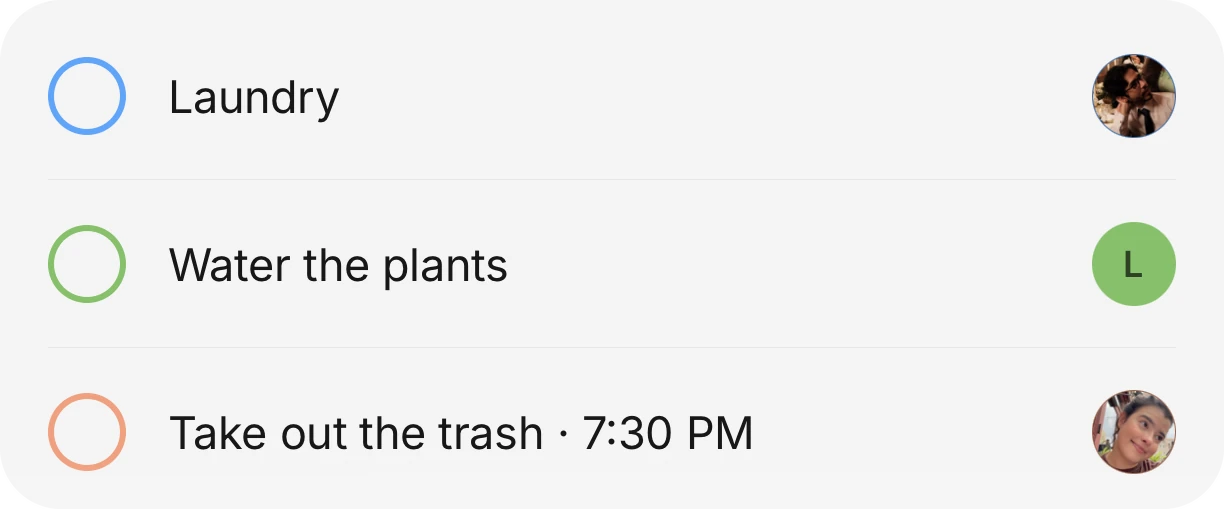
What reduces friction in a chore app
Everyone is different, so treat this as a checklist of features to try, not a prescription. These are the ones people with ADHD often ask for.
- Fast to add. If adding a chore takes more than a few seconds, it will not get added.
- Reminders at a time you pick, not a random hour.
- A widget on the Home Screen or Lock Screen, so you do not have to remember to open the app.
- No penalty for a missed day: no streak to break and no red overdue count.
- Easy to hand off. If someone else can take the job, passing it on should take a few taps.
- Quiet by default. No leaderboard, no badges, no notifications about how far behind you are.
What We Both does, specifically
- “Whenever” chores have no due date, so they never turn red or become overdue. You can plan one onto a day when you have energy for it.
- A reminder can be set to a time you choose, such as 7:30 PM for the trash.
- Widgets on the Home Screen and Lock Screen (iOS 17 and up) put the day’s chores in view.
- There are no points, streaks or scores, by design.
- You can hand a single occurrence of a chore to someone else in a few taps, skip it once, or move it once, without breaking the repeat.
- For money, Siri’s “Log an expense in We Both” works hands-free, so a purchase can be logged before you forget it.
- With Premium, you can talk to the assistant to add a chore, an event or an item to the list, which suits people who find typing a barrier.
General tips from named sources
Psych Central’s article “7 Tips for Getting Chores Done for Adults With ADHD” by Gia Miller, medically reviewed by N. Simay Gökbayrak, PhD (updated July 21, 2021), suggests several general habits. Among them: try one strategy at a time and keep what works, pair chores with something enjoyable like music or a podcast, spread chores across the week and group similar ones, set calendar reminders and timers, and share responsibility with others in the household.
CHADD, the national nonprofit for ADHD, publishes free resources on organizing a home, including an infographic of five ways to maintain a newly organized space and a money management schedule that breaks money tasks into how often each needs doing. Read them at chadd.org/for-adults.
These are general tips from the sources above, not our own medical advice, and We Both does not diagnose or treat anything. A doctor or therapist who knows you can give advice tailored to you.
Other apps people consider
Prices are from each app’s own pages, read on October 11, 2026.
| App | How it works | Price |
|---|---|---|
| Tody | Builds a cleaning plan and tracks what is due; chore assignment or automatic rotation | Free for one person. Household sync from $25 a year, 30-day free trial |
| Sweepy | Daily cleaning schedule. The listing mentions coins, a leaderboard and Streak History, and release notes mention an option to turn the leaderboard off | App Store: $3.99 a month or $19.99 a year, 3-day trial |
| We Both | Chores with repeats, undated “whenever” chores, reminders and widgets. No points or streaks | Chores are free. Premium covers the whole house |
Honest limits
We Both does not schedule chores for you around how you feel, and it does not rotate them automatically. The Premium assistant has a monthly allowance, with one free try per house. Dated chores can still run late, and then you get a “Still not done” reminder; only the undated “whenever” chores never go overdue. It is an iPhone app, with Android in beta. A game-like app with points may motivate some people more, and that is a fair reason to pick another one.
Questions people ask
Does We Both treat ADHD?
No. It is a household app. Some of its features, like reminders and widgets, may reduce friction, but it makes no medical claims. Talk to a clinician about treatment.
What does a “whenever” chore do?
It is a chore with no due date. It stays on your list without turning red or overdue, and you can plan it onto a day when you want to do it.
Can I use it alone?
Yes. We Both works solo, and you can add a partner or roommates later by link, QR code or house code.
Is the voice assistant free?
Voice and typed assistant requests are part of Premium, with one free try per house and a monthly allowance. Siri’s “Log an expense” for money is free.
Get the whole house on it.
Download it free, then invite everyone you live with. They see the same list, the same calendar and the same money.
Or scan with your iPhone cameraFacts about other apps were checked on October 11, 2026. Prices and features change, so check before you switch.